
Gemmb

Connector

Remote access

The Connector application allows secure one-click access from anywhere to managed customer devices.

Connector

The Connector works securely encrypted over the internet as well as over private networks, alleviating the need for your technical team to be connected to your customers' networks via VPNs or dedicated links.

Similar to our pollers, the Connector does not require an inbound connection to your customer's network. Our platform handles the securely encrypted connection seamlessly, making connectivity a single-click exercise for your engineers.

The Connector supports Telnet, SSH, and remote desktop connections to managed devices, and HTTP/HTTPS browsing using a built-in Chromium-based web browser.

The Connector is permission based, giving you full control over who can connect to each device from your platform.

The Connector uses Microsoft's ClickOnce deployment mechanism direct from the web site, simplifying installation and providing automatic updates. Remote support is seamless with Gemmb.
Identity management

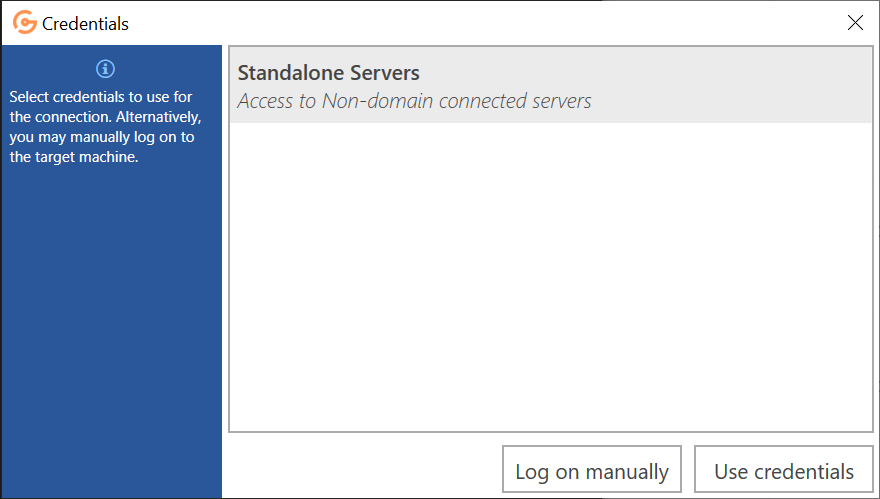
The Connector application is fully integrated in the platform, and highly benefits from a configured Password Vault, giving your technical team easy access to your customers' infrastructure without the need for them to look up or remember login credentials to devices. Utilising the Password Vault, access credentials are completely hidden from the operator with each use of the credentials logged, adding an extra layer of security for your customers.

Naturally, the tool also supports manual entry of credentials.

Access to devices may be further secured by requiring Two-Factor Authentication. The Connector is compatible with the Gemmb two-factor authentication process, and will reauthenticate users before allowing them connectivity to these two-factor secured devices.

Password vault in Connector

See the full capability list

The platform is continuously evolving. Browse features, monitoring coverage, or request a conversation.